Understanding what’s going on in your data center is no longer a luxury—it’s a necessity. Whether you’re a system administrator, IT manager, or cloud architect, you need insight into how your applications and infrastructure interact. That’s where vRealize Infrastructure Navigator (vRIN) steps in.
In this article, we’ll dive deep into everything you need to know about vRealize Infrastructure Navigator: what it is, why it matters, how it works, and how you can use it to elevate your IT operations. We’ll cover examples, benefits, how-to guides, FAQs, and much more.
What is vRealize Infrastructure Navigator?
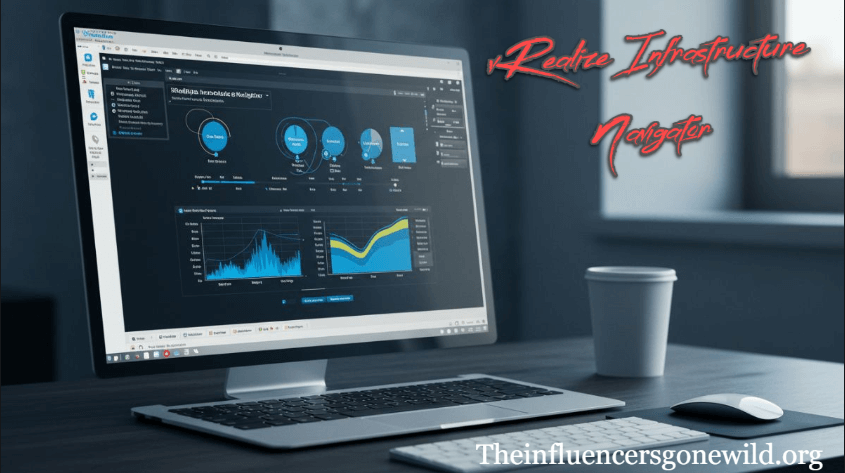
vRealize Infrastructure Navigator is a VMware plug-in tool used with vRealize Operations Manager. It provides deep visibility into application dependencies across your virtual infrastructure, helping you understand which VMs support which applications and services.
Key Function:
It maps dependencies between virtual machines (VMs), showing real-time relationships among services, ports, and applications—allowing smarter decisions and better incident response.
Why vRealize Infrastructure Navigator Matters
You can’t manage what you can’t see.
vRIN bridges the gap between infrastructure and application layers, helping IT teams understand:
- What services are running
- How VMs interact
- Where dependencies lie
- What risks exist during migrations or outages
Core Features of vRealize Infrastructure Navigator
1. Application Discovery
Automatically discovers applications running on virtual machines.
2. Dependency Mapping
Visualizes relationships between applications, services, and VMs.
3. Real-Time Monitoring
Keeps track of live changes across the environment.
4. Risk Mitigation
Identifies critical application dependencies before planned maintenance or migrations.
5. Integration with vCenter
Provides seamless operation within VMware vCenter for faster troubleshooting and planning.
How vRealize Infrastructure Navigator Works
Step 1: Installation as a Plug-In
vRIN is deployed as a virtual appliance that integrates into vCenter Server.
Step 2: Service Discovery
It uses service discovery tools and application signatures to detect apps like:
- Apache
- IIS
- MySQL
- MS SQL
- Oracle DB
Step 3: Visualization
The tool creates live dependency maps showing what each VM communicates with and why.
Use Cases of vRealize Infrastructure Navigator
1. Maintenance Planning
Avoid accidental downtime by understanding which services rely on a VM.
2. Application Migrations
Assess the impact of moving VMs to different clusters or data centers.
3. Security Hardening
Spot unexpected communication between VMs that may signal misconfigurations.
4. Root Cause Analysis
Quickly trace incidents back to service dependencies for faster recovery.
Example Scenario: Dependency Mapping in Action
Let’s say your CRM system goes down.
With vRIN:
- You can instantly see that the CRM depends on an SQL database hosted on another VM.
- You’ll also know that it communicates over port 1433.
- You find the SQL server is down due to a patch update.
- Action: Restore that VM → CRM is back online in minutes.
No guesswork. Just fast insight.
How to Deploy vRealize Infrastructure Navigator
Step-by-Step Guide
1. Prerequisites
- vCenter Server 5.1 or later
- ESXi 5.0 or later
- Proper credentials and permissions
2. Download & Deploy
- Download the .OVA file from VMware
- Use vSphere Client to deploy the appliance
3. Configuration
- Register with vCenter
- Enable service discovery
- Start mapping dependencies
4. Access
- Open via the vSphere Web Client
- Navigate to the Infrastructure Navigator tab for any VM
Benefits of Using vRealize Infrastructure Navigator
Improved Visibility
See what’s happening under the hood of every application.
Better Change Management
Know the impact of changes before you make them.
Reduced Downtime
React quickly and accurately during incidents.
Better Collaboration
Bridges the gap between infrastructure and application teams.
Accurate Compliance
Audit systems and apps more effectively by knowing what’s running where.
Integration with Other VMware Products
vRealize Operations Manager
Feeds application dependencies into your broader monitoring dashboard.
vCenter Server
Full visibility directly inside vSphere.
vRealize Log Insight
Correlate log events with discovered application layers for smarter diagnostics.
Common Questions About vRealize Infrastructure Navigator
Q1. Is vRealize Infrastructure Navigator still supported?
As of VMware’s latest updates, vRIN is being phased out and replaced with more modern tools. But many enterprises still use it in legacy environments.
Q2.Does it work in cloud environments?
No, vRIN is primarily for on-premises vSphere environments.
Q3.What protocols does it use for discovery?
It uses standard application ports (like 80, 443, 3306, etc.) and VMware Tools for data collection.
Q4.Does it support non-VMware infrastructures?
No, it’s tightly integrated into VMware vCenter and doesn’t support physical or non-vSphere environments.
Tips for Getting the Most Out of vRealize Infrastructure Navigator
- Tag critical VMs so you can easily spot their dependencies.
- Use service groups to cluster apps logically.
- Perform regular audits to detect configuration drift.
- Automate alerts when dependencies change.
vRIN vs. Other Tools
| Feature | vRealize Infrastructure Navigator | vRealize Operations | SolarWinds | AppDynamics |
| Application Discovery | ✅ | ❌ | ✅ | ✅ |
| VMware Native Integration | ✅ | ✅ | ❌ | ❌ |
| Dependency Mapping | ✅ | ✅ (limited) | ✅ | ✅ |
| Best For | VMware environments | Monitoring | Network discovery | APM |
Alternatives to vRealize Infrastructure Navigator
If you’re looking for something more modern or cross-platform, here are good alternatives:
- VMware Aria Operations
- Dynatrace
- AppDynamics
- Datadog
- ServiceNow Discovery
These tools offer deeper automation, AI/ML analysis, and hybrid/multi-cloud support.
Who Should Use vRealize Infrastructure Navigator?
- IT Managers need visibility for compliance and audits
- System Admins planning updates and migrations
- DevOps Engineers looking to reduce risk during CI/CD pipelines
- Security Teams are analyzing unauthorized communications
Real-World Examples from Enterprises
Financial Sector:
Banks use vRIN to track dependencies in tiered applications like banking portals, middleware, and DBs.
Healthcare:
Hospitals leverage it to avoid downtimes in EMR systems by ensuring database backends are mapped.
Manufacturing:
Used to monitor communication between ERP systems and production equipment.
Training and Certification
Though vRIN doesn’t have its certification, it’s often part of:
- VMware Certified Professional (VCP-DCV)
- VMware vRealize Specialist Path
VMware Learning offers labs, videos, and sandbox environments to practice.
Final Thoughts
If you’re running a VMware-centric data center, then yes—vRIN adds serious value. It saves time, reduces risks, and makes troubleshooting far less painful. While VMware is moving toward newer platforms, Infrastructure Navigator still plays a vital role in many legacy systems.
As long as you’re using vSphere and vCenter, this tool helps you connect the dots between apps and infrastructure, enabling smarter decisions, better uptime, and smoother operations.
FAQs
1. Is vRealize Infrastructure Navigator free?
No, it requires a VMware license and is often bundled with the vRealize Suite.
2. Can I use it without vCenter?
No. vRIN needs vCenter Server to function.
3. What if my applications aren’t discovered?
Ensure that VMware Tools is installed, the necessary ports are open, and the app is supported.
4. Is it cloud-compatible?
Not natively. Consider newer tools, such as Aria Operations, for cloud-native support.
5. Is Infrastructure Navigator still available?
It’s available for legacy setups, but newer deployments should look toward VMware Aria or vRealize Operations Advanced.